Guides
How federal solar tax credit paperwork works for U.S. installers at handoff
The handoff packet is the homeowner's evidence file for the 30 percent federal solar credit, and it is built before the crew leaves the job.
What to take away
- The homeowner claims the Residential Clean Energy Credit on IRS Form 5695 with their own return. Your company never files it.
- The placed-in-service date, not the contract or deposit date, decides which tax year the credit lands in.
- A lump-sum invoice forces the customer's preparer to guess what qualified, and guessing trims the credit.
- Ownership decides who claims. Leases and power purchase agreements usually leave the credit with the third-party owner.
- Build the packet as one PDF with numbered tabs, send it within two weeks of commissioning, and keep a copy.
Where the credit sits in a residential closeout
The Residential Clean Energy Credit is a personal credit. It reduces federal tax owed, and it is claimed on the homeowner's return, not yours. That single fact sets the order of everything at closeout.
By the time a crew commissions a system, the customer has signed a contract, paid a deposit, waited on a permit, and waited again on the utility. The credit sits at the far end of that chain because it depends on equipment that is installed and running.
Your job at handoff is evidence. You confirm what was installed, when it was placed in service, and what the customer paid for qualifying property. Their tax preparer does the rest.
The Residential Clean Energy Credit | Internal Revenue Service covers solar electric property, solar water heating, battery storage, and related equipment. Fuel cells and small wind carry their own conditions. Most rooftop work falls under solar electric.
The credit sits inside the wider set of Credits and deductions for individuals | Internal Revenue Service, which is where a preparer looks when the return comes together. Financing the system does not change that framework.
Your own filing world is separate. Payroll, entity returns, and business credits live under Businesses | Internal Revenue Service. Mixing the two sets of forms produces confused customer calls every spring.
The compliance checklist for new owners covers the licensing, permitting, and record rules that feed the packet. Run it before the first contract, not after the first audit letter.
Three parties, three jobs
The homeowner claims. The installer documents. The preparer reports. When each assumes another is holding a piece of paper, the credit is exposed.
Why customers expect a check
A credit reduces tax owed. If it exceeds what the customer owes, the excess may carry forward under rules in the year they file. Installers should not predict that outcome.
What Form 5695 asks the customer to prove
IRS Form 5695 is the homeowner's form. You do not complete it, but the Instructions for Form 5695 (2025) | Internal Revenue Service read like a specification for your packet.
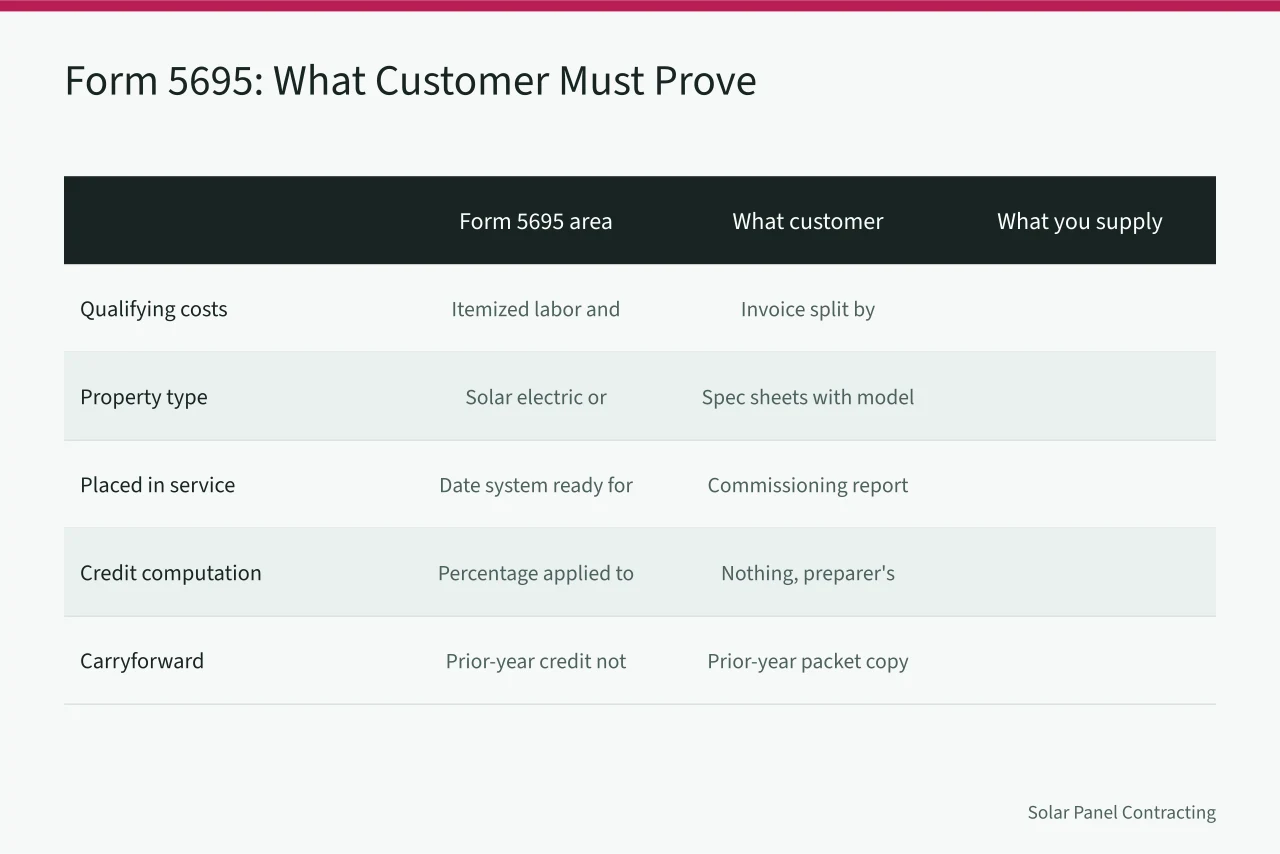
Treat each line as a fact the customer must be able to prove. Every one of those facts already lives somewhere in your office: a contract, an invoice, a permit, a commissioning report, a manufacturer sheet.
The form separates qualifying costs by category. That is why a single lump-sum invoice is a weak handoff document.
| Form 5695 area | What the customer needs | What you supply |
|---|---|---|
| Qualifying costs | Itemized labor and equipment amounts | Invoice split by equipment, labor, permits, adders |
| Property type | Confirmation of solar electric or water heating | Specification sheets with model numbers |
| Placed in service | The date the system was ready for use | Commissioning report and utility permission to operate |
| Credit computation | The percentage applied to costs | Nothing. This is the preparer's work |
| Carryforward | Prior-year credit not yet used | A prior-year packet copy if asked |
Almost none of that table is tax work. It is ordinary project documentation a well-run office already produces.
The instructions also address battery storage, now a routine line on quotes in California, Texas, and Arizona. Storage can qualify when capacity is at least three kilowatt hours and the other conditions in the instructions are met.
If your quote bundles panels, battery, and monitoring into one figure, the packet has to break them apart. A bundled number forces the preparer to estimate.
Labor and sales tax
On-site preparation, assembly, and installation labor generally counts as a qualifying cost for solar electric property. Sales tax paid on qualifying equipment usually follows the equipment. Show both as separate invoice lines.
Matching model numbers
The specification sheet, the invoice, and the commissioning report should carry the same model and serial numbers. Mismatches invite questions that take weeks to answer.
The handoff packet, item by item
The packet exists to make the qualifying amount obvious. Build it as one PDF with a cover sheet and numbered tabs, send one digital copy, and keep one in the job file.
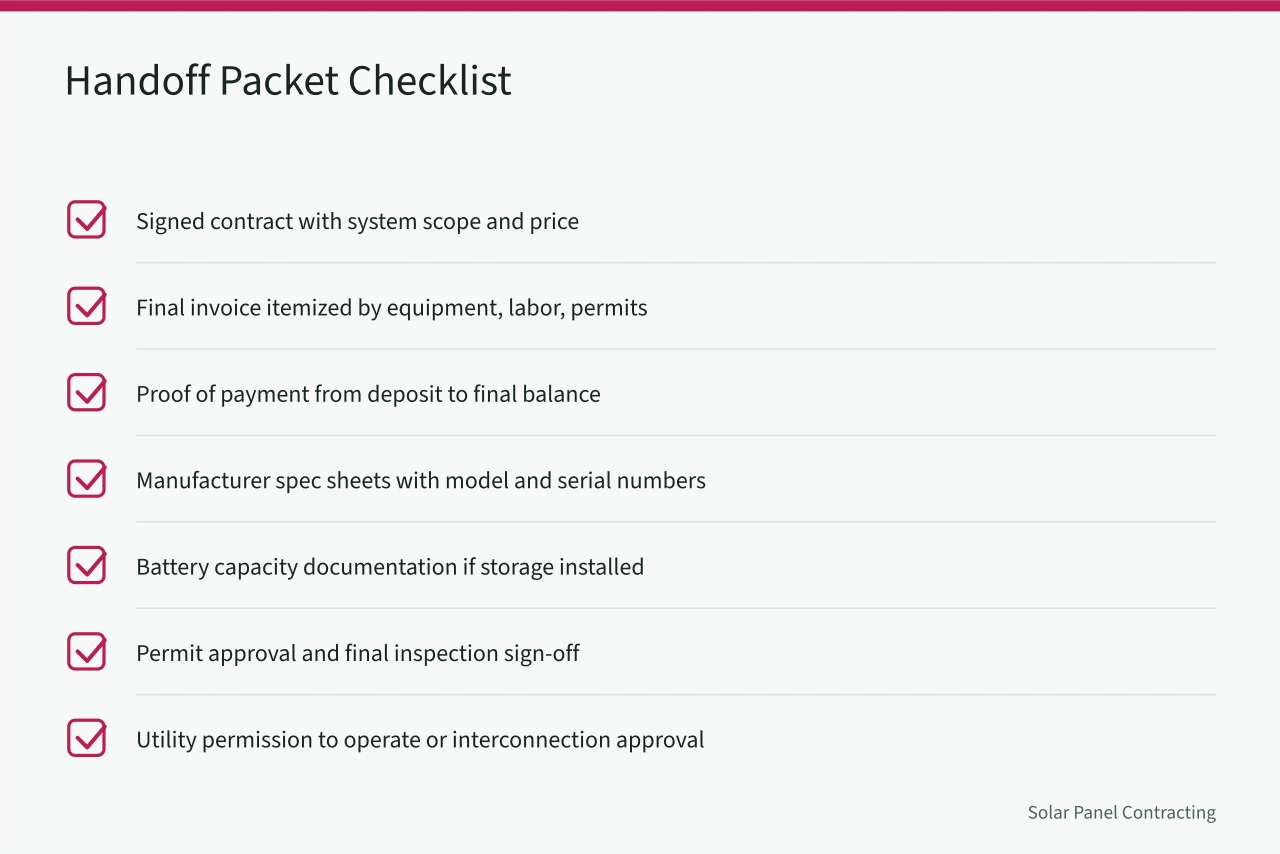
- Signed contract showing system scope and total price
- Final invoice itemized by equipment, labor, permits, and adders
- Proof of payment, deposit through final balance
- Manufacturer specification sheets with model and serial numbers
- Battery capacity documentation if storage was installed
- Permit approval and final inspection sign-off
- Utility permission to operate or interconnection approval
- Commissioning report with the placed-in-service date
Every item on that list already exists in a normal job file. The failure mode is not missing documents; it is documents scattered across email threads, a permit portal, and a field tablet.
Add a one-page cover letter stating system size, address, placed-in-service date, and total qualifying cost. Sign it. A signed statement carries weight with a preparer who has never heard of your company.
Financed jobs need the financing agreement or a summary showing the financed amount and the lender. Ownership should be unambiguous on the page.
Your sample solar installer quotes are the upstream source of half these numbers. If the quote does not separate equipment from labor and permits, the invoice will not either.
What to leave out
Skip marketing material, warranty upsell brochures, and monitoring app instructions. Keep the packet to documents that support the credit, plus a short index.
How long to keep a copy
Three years from the customer's filing date is the usual starting point, and longer is safer. Storage is cheap. Reconstructing a packet is not.
Placed-in-service dates and tax years
The placed-in-service date is the most misunderstood item in residential closeout. It is the date the system was ready and available for its intended use, not the contract date and not the deposit date.
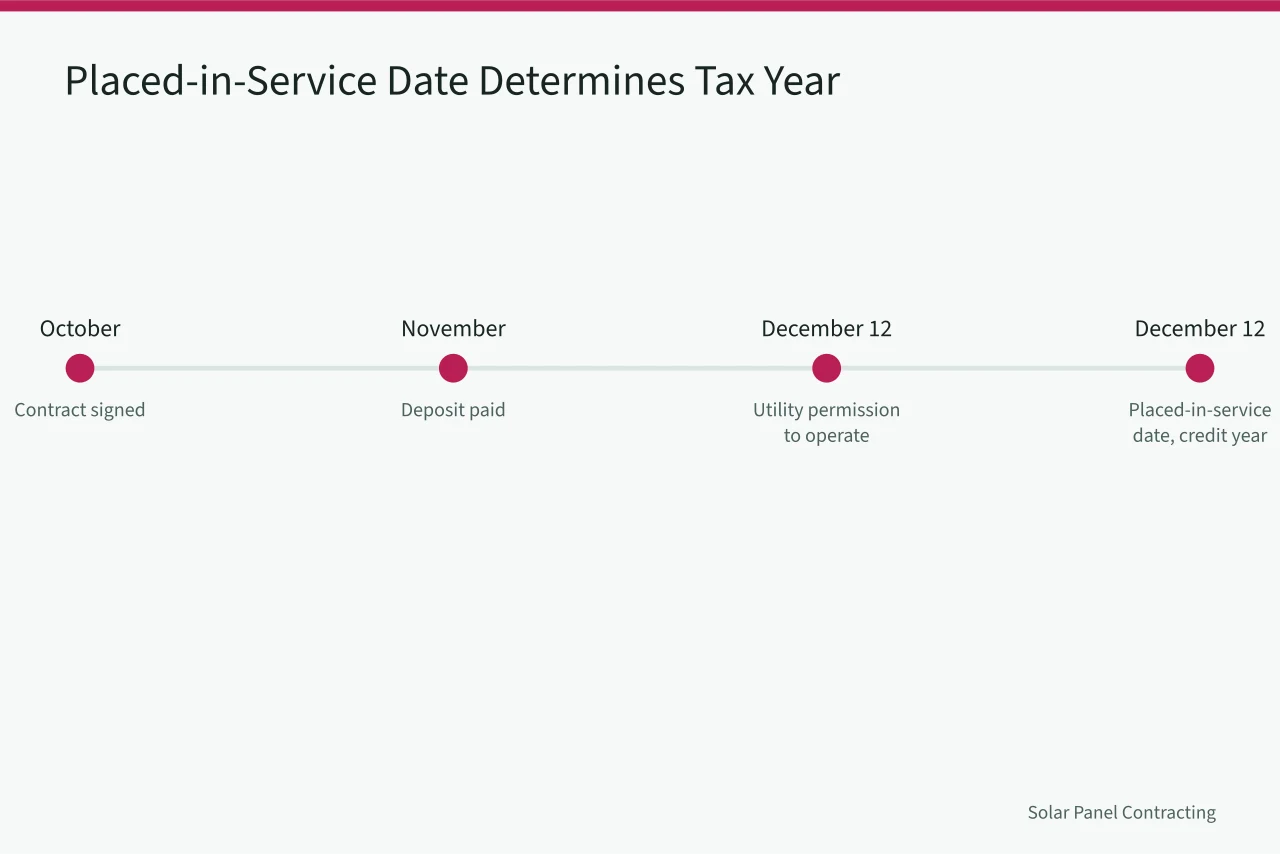
For most residential jobs that means the date of utility permission to operate. A system that is physically complete but waiting on the utility is usually not yet placed in service.
The credit belongs to the tax year of that date. A November contract with a December commissioning lands in one year. The same contract with a February commissioning lands in the next.
December is the busiest month for this reason. Customers push for a year-end date and crews feel it. Never backdate a commissioning report to satisfy a customer's tax planning.
The local seo checklist for solar installers keeps service-area and utility-territory pages organized. The same record discipline keeps your placed-in-service dates defensible. If job costing cannot tell you when a system was commissioned, the packet cannot either.
Have the customer sign a completion form listing the placed-in-service date and acknowledging receipt of the packet. That signature protects both sides later.
Winter markets
In Massachusetts and New York, weather can push commissioning into the next calendar year. Tell customers in writing when a schedule slips, because their tax planning depends on it.
Verbal walkthrough versus signed form
A walkthrough is good service. It is not documentation. The signed form takes two minutes at the kitchen table and settles arguments months later.
Mistakes that cost customers the credit
Most lost credits trace to paperwork, not ineligible equipment. The system qualified. The file did not.
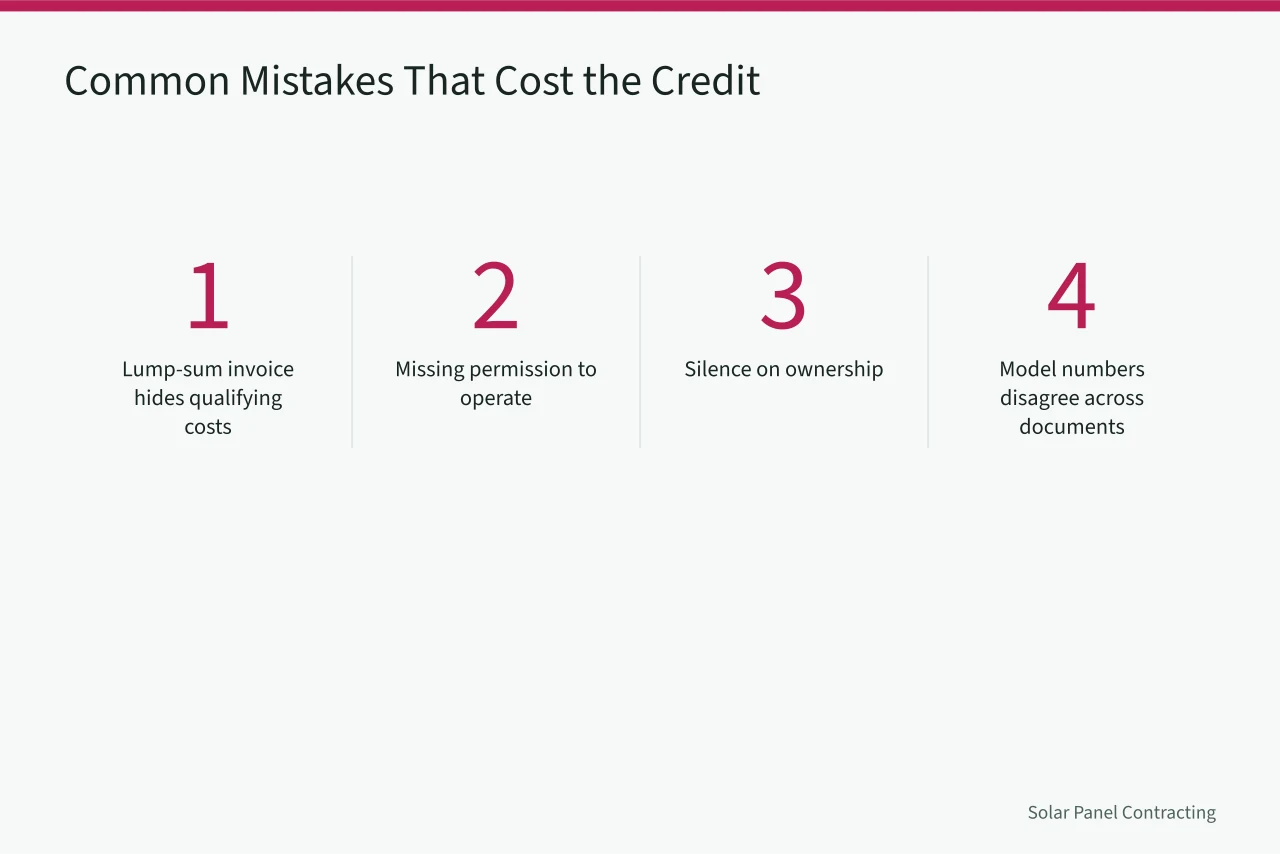
A lump-sum invoice is the most common problem. If it reads "solar system, $28,000," the preparer has to decide what portion qualified, and conservative estimates cost the customer money.
Missing permission to operate is second. Without it the placed-in-service date is arguable, and an arguable date is weak in an audit.
Silence on ownership is third. In a lease or power purchase agreement the homeowner generally cannot claim the credit because they do not own the equipment. Sales should say so before signing, not after.
Fourth, model numbers that disagree across documents. Fifth, a packet that arrives after the customer files in late January.
Your service standards should set a closeout deadline in business days from commissioning. Two weeks is achievable on most residential jobs.
When a customer calls upset, your complaint handling process should route tax document requests to one named person. Ad hoc answers produce inconsistent records.
The deposit date trap
Customers assume the credit follows the year they paid the deposit. It does not. Correct that at signing, when it is a fact, not at handoff, when it is an argument.
The withheld final payment
A customer holding final payment until the packet arrives is applying reasonable pressure. Meet the deadline and the problem disappears.
Ownership, financing, and who claims what
Ownership decides who claims the credit. That sentence resolves most confusion in financed residential solar.
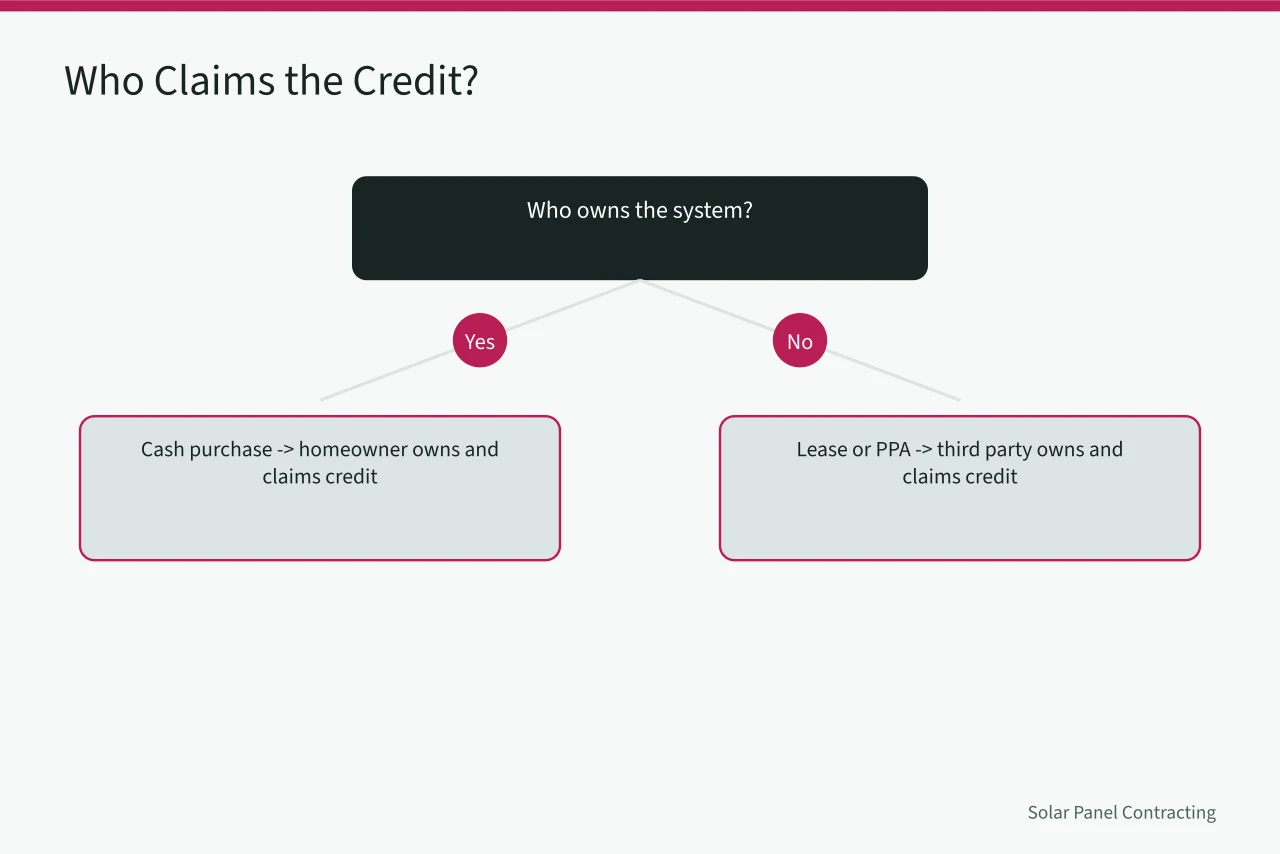
Cash purchase: the homeowner owns the system and claims the credit. Your packet is the evidence file and nothing else changes.
Lease or power purchase agreement: a third party owns the system and generally claims the credit. The homeowner buys power, not equipment. Say so in writing at signing and again at handoff.
Solar loan: the homeowner usually owns the system and still claims the credit. The loan is a payment method, not a transfer of ownership. Some lenders market the credit as though it were a rebate against the balance, and customers arrive at handoff believing that.
Prepaid power agreements sit closer to a lease. Ownership stays with the provider and the credit follows ownership. Train your sales team on what you actually sell in your state.
Payments | Internal Revenue Service covers how federal payments and related transactions are handled, which matters when a customer asks how a credit interacts with what they owe or get back.
If you offer your own financing or a bridge product, have the disclosure language reviewed before it appears in a quote. Promising a specific credit outcome is a compliance risk and a service failure when the outcome differs.
Where third-party ownership is common
Leases and power purchase agreements cluster in a handful of strong residential markets. Where they are rare the question seldom comes up, but the answer belongs in training material anyway.
Business credit transfer rules
Business-side credits carry transfer rules that do not apply to a homeowner's personal credit. Do not let a commercial project's structure leak into residential sales talk.
Turning closeout into a routine
A template turns closeout from a scramble into a checklist the office runs without thinking.
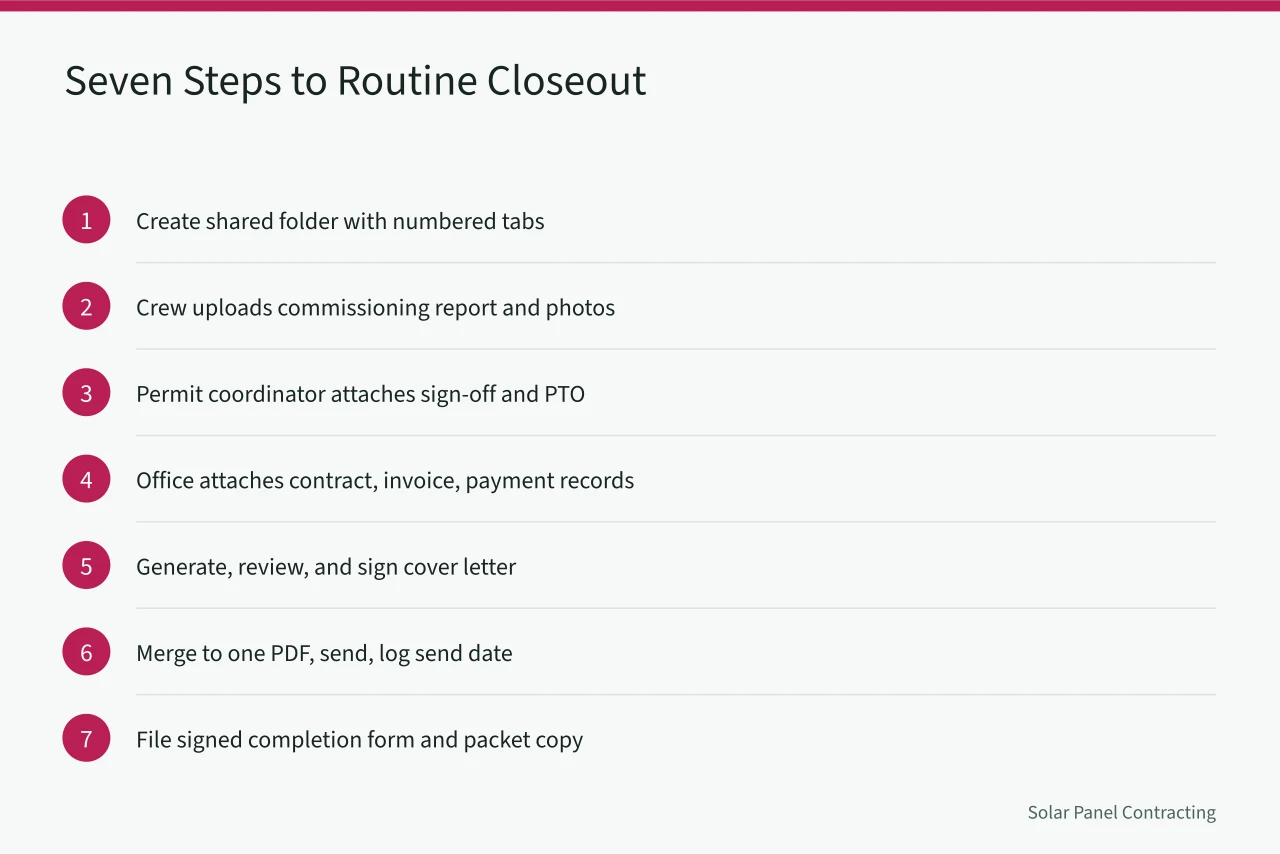
- Create a shared folder with numbered tabs matching the packet checklist.
- Have the crew upload the commissioning report and photo set the day of commissioning.
- Have the permit coordinator attach inspection sign-off and permission to operate.
- Have the office attach the signed contract, itemized invoice, and payment records.
- Generate the cover letter from the job system, review it, and sign it.
- Merge to one PDF, send it, and log the send date.
- File the signed completion form and a packet copy in the job archive.
Assign each step to a named role, not to "the office." Handoffs fail when everyone assumes someone else sent the packet.
Audit five packets a quarter against the checklist, including one financed job and one with storage. Fix what you find in the template, not just in that file.
Train new office staff on the placed-in-service rule specifically. It is the item most often explained wrong to a customer, and a wrong explanation in November becomes a dispute in April.
A worked example
A homeowner in Arizona signs in October for an eight kilowatt system with a ten kilowatt hour battery. The crew commissions it in early December and the utility grants permission to operate on December 12. The placed-in-service date is December 12, so the credit belongs to that tax year.
The packet holds the signed contract, the itemized invoice, proof of deposit and final payment, and specification sheets for panels and battery. The inspection sign-off, the permission to operate letter, and a signed cover letter dated December 15 complete the file.
The customer's preparer applies the 30 percent credit percentage to qualifying costs and files Form 5695 with the return. No one at the installer touches that return.
Keeping the template current
Review the template once a year against the current Form 5695 instructions. Equipment categories and documentation expectations shift, and a stale template quietly produces stale packets.
Common questions
Does the installer file Form 5695 for the customer?
No. The homeowner files it with their individual return. Your company supplies documentation supporting the claimed costs and the placed-in-service date, and nothing more.
Can a customer claim the credit on a leased system?
Generally no. The credit follows ownership, and in a lease or power purchase agreement the third-party owner holds the equipment. Say this clearly before the contract is signed.
What date goes on the paperwork as placed in service?
Use the date the system was ready and available for use, which for most residential jobs is the date of utility permission to operate. Never backdate it for a customer's tax year.
What if the customer files before the packet arrives?
Send the packet anyway and tell them to ask their preparer about amending. A prepared amendment beats a credit claimed without support.